
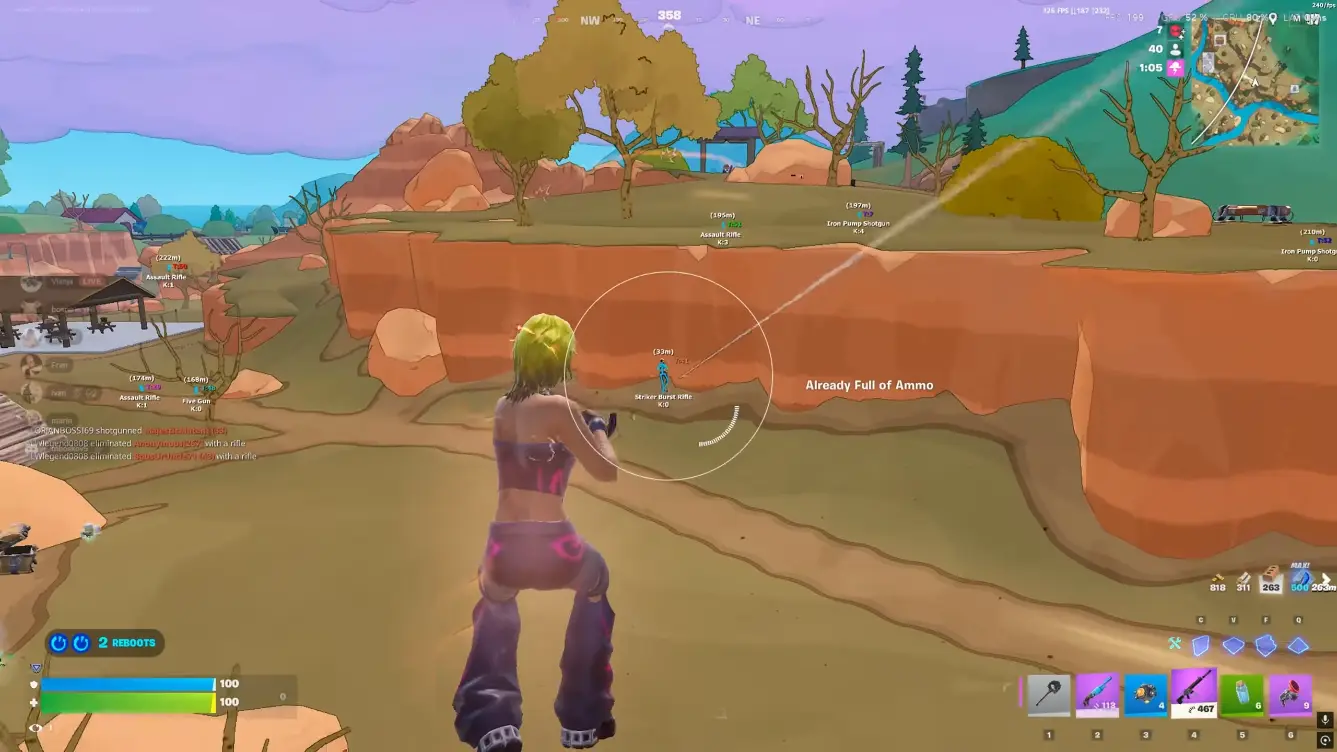
Fortnite Anti-Cheat Explained: Detection Systems, Account Risks, and Security
How Easy Anti-Cheat works on Fortnite PC: kernel driver, user-mode module, ML review, DMA pressure, and how software configs adapt.
Fortnite anti cheat on PC is Easy Anti-Cheat, shipped by Epic through Epic Online Services. This article walks through the pieces that actually load, what they observe, and how overlay and DMA setups are built around that session.
Epic’s own February 27, 2025 note is still the clean public summary: kernel driver while the game runs, harder-to-analyze game code, exploit shutdowns, plus statistical analysis and machine learning. Bans, Epic says, use technical evidence. That is the system configs have to live next to.
The four pieces that load on Windows
EAC for Fortnite is a small stack, not a single EXE. On disk you typically see the installer and service under EasyAntiCheat_EOS. At runtime there are four talking parts.
- Service / bootstrap (EasyAntiCheat_EOS.exe). Starts with the game, runs as a Windows service, handles certificates and session setup. Startup type is manual—it is not meant to sit on boot.
- Kernel driver (the .sys). Ring-0 for that play session. Registers callbacks, talks to user mode over a private device and IOCTL, unloads when you quit.
- In-game module (the .eac payload). User-mode scanner mapped into Fortnite after a CDN fetch. Encrypted on disk; unpacked in memory.
- The game binary, linked against the EOS SDK, which will not proceed until the handshake succeeds.
Public driver write-ups of the EOS .sys describe hashed imports, a large virtualized code section, process/thread/image notifications, registry callbacks, and crash-dump scrubbing. You do not need to reverse it to use the fact: the kernel view of Fortnite is guarded for the whole match.
What the kernel session is watching
While loaded, the driver can see new processes and command lines, image loads (including unsigned or manual-mapped modules), remote threads into the game, and attempts to open handles to the protected process. Handle filtering is the classic wall for old usermode reads.
That is why 2026 builds prefer external overlays and DMA read paths over injecting a DLL into Fortnite.exe. The anti-cheat is a moving filter on process access. Software that still works after a season is the software that stopped fighting that filter in user mode.
Session-scoped, not always-on
Epic’s Linux EAC v2 write-up states the Windows model clearly: the kernel driver starts when a protected game launches and stops when the player exits. Fortnite follows that pattern. After you close the game, the driver should not stay resident. If a service is still running hours later, treat that as a setup bug, not the design.
Server-side review and account risk
Client EAC is only half of the picture. Epic also scores matches with statistical and ML systems: impossible tracking, snap patterns, win and accuracy outliers, report clusters. Client detections and server scores can both feed an enforcement action. Epic’s public policy is evidence-based bans, including legal follow-up in some cheat-seller cases.
Account risk is a graph, not a single flag. Hardware identifiers, payment, device, and linked Epic IDs can all connect. If you rotate accounts on the same board, assume those edges exist. An HWID tool changes what the machine presents; it does not erase a match that already uploaded a client report.
DMA, IOMMU, and cloud setups
Fortnite DMA means a second device (or a hosted FPGA/slot) reading game memory over Direct Memory Access instead of opening a usermode handle into Fortnite. EAC Linux v2 explicitly lists IOMMU as the hardware gate that stops DMA cards from seeing a protected process when it is fully on. Windows platforms are pushing the same direction with HVCI, IOMMU, and attestation.
Cloud DMA is the operator-facing version of that split: game PC for play, remote slot for the read, overlay on your screen. Firmware, slot version, and Fortnite build have to match. Full hardware path: Fortnite DMA cheats explained.
How software configs adapt
A current overlay does not “disable” EAC. It waits for the EOS handshake, then runs beside it. Aim FOV, smoothing, ESP distance, and radar range are the levers that change your signature in both client traces and server stats. Tight FOV and slower smoothing sit closer to normal input. Full-map ESP with zero delay does not.
Patch day routine is part of the security model. Check status, update the loader or DMA slot, cold start the game so EAC can load clean, then confirm modules in a casual playlist. If the portal says the build is updating, do not queue ranked on yesterday’s files.
When you want the module list and checkout path that sit next to this stack, the maintained Fortnite cheats pages cover aimbot, ESP, radar, loot filters, cloud DMA, and HWID as one product line rather than random files.
For the feature-by-feature map, read Fortnite Cheats in 2026. For HWID steps after a device change, use the HWID spoofer product page.
FAQ
Which anti-cheat does Fortnite use on PC?
PC Fortnite uses Easy Anti-Cheat via Epic Online Services. Overlay and DMA setups in this article are described against that stack, not against another title’s client protection.
Is the EAC driver running all the time?
No. The Windows driver is session-scoped. It starts when Fortnite launches and is designed to stop when you exit. The service is typically manual, not automatic. That is why “disable EAC at boot” guides miss the actual load path.
What does Epic use besides the kernel driver?
A user-mode module inside the game, plus statistical and machine-learning review of match data. Exploit patches and harder-to-read game code sit on top. Enforcement is not only a single signature in a driver.
How does DMA relate to Fortnite anti-cheat?
DMA hardware reads memory without a normal usermode handle. EAC and platform security (IOMMU, HVCI, attestation) treat that as a first-class path to block or observe. Cloud DMA setups exist to keep that path versioned and off the game process, not to ignore the anti-cheat.
What should I do after a Fortnite or EAC update?
Do not assume yesterday’s profile still matches. Wait for the status note, update loader or DMA firmware, reboot if the portal says so, then test modules in a low-stakes playlist. If status is “updating,” stay out of ranked until it flips.